

There's a moment most job seekers don't realise is happening. While they're polishing their CV, adjusting font sizes, agonising over the order of bullet points — a recruiter has already opened LinkedIn, typed in a few keywords, and started scanning the first ten results. In less time than it takes to send an email, that recruiter has shortlisted or dismissed dozens of candidates. People who may never know they were considered.
This is the reality of hiring in 2026. LinkedIn is no longer just a place to park your professional history. It is a living, searchable, algorithm-driven talent marketplace — and the way you show up on it can determine whether opportunity finds you or passes you by.
Why LinkedIn Now Outranks Your CV
Think about the structural difference between a CV and a LinkedIn profile. A CV is a static document. You send it, and it either reaches the right person or disappears into an ATS (Applicant Tracking System) black hole — where, by some estimates, over 70% of applications are rejected before a human sees them. LinkedIn is dynamic. Your profile is discoverable at any moment, by anyone with access to the platform's search function. It gets indexed. It builds signals over time. And crucially, it keeps working for you even when you're not actively applying for jobs.
The numbers tell a stark story. Profiles with multiple skill endorsements receive 17 times more recruiter views than those without them. Adding the "Open to Work" banner increases recruiter response rates by 37%. And perhaps most compelling of all: complete profiles receive 30% more weekly views than incomplete ones. These aren't marginal gains — they're the difference between being found and being invisible.
"LinkedIn is not a supplementary document. In 2026, it is your primary professional identity. Treat it as such."
What's also changed is the sophistication of the AI tools recruiters are now deploying. According to LinkedIn's own research, 93% of talent acquisition leaders plan to increase their use of AI tools in 2026. Early adopters of these tools are already seeing results: recruiters save an average of four hours per role, review 62% fewer profiles to find strong candidates, and see a 69% increase in InMail acceptance rates. The platform has effectively become a two-sided AI system — surfacing candidates for recruiters while simultaneously rewarding candidates who understand how the algorithm works.
Section 1: Profile Photo & Banner — Your Visual First Impression
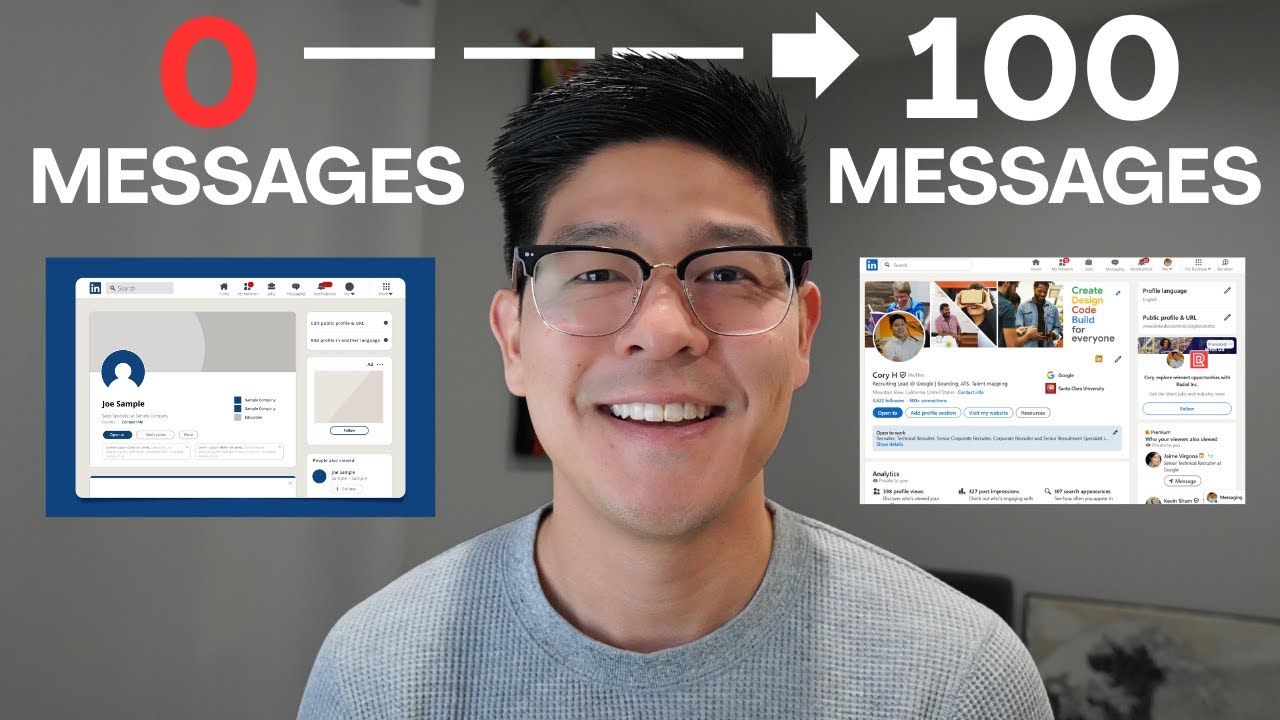
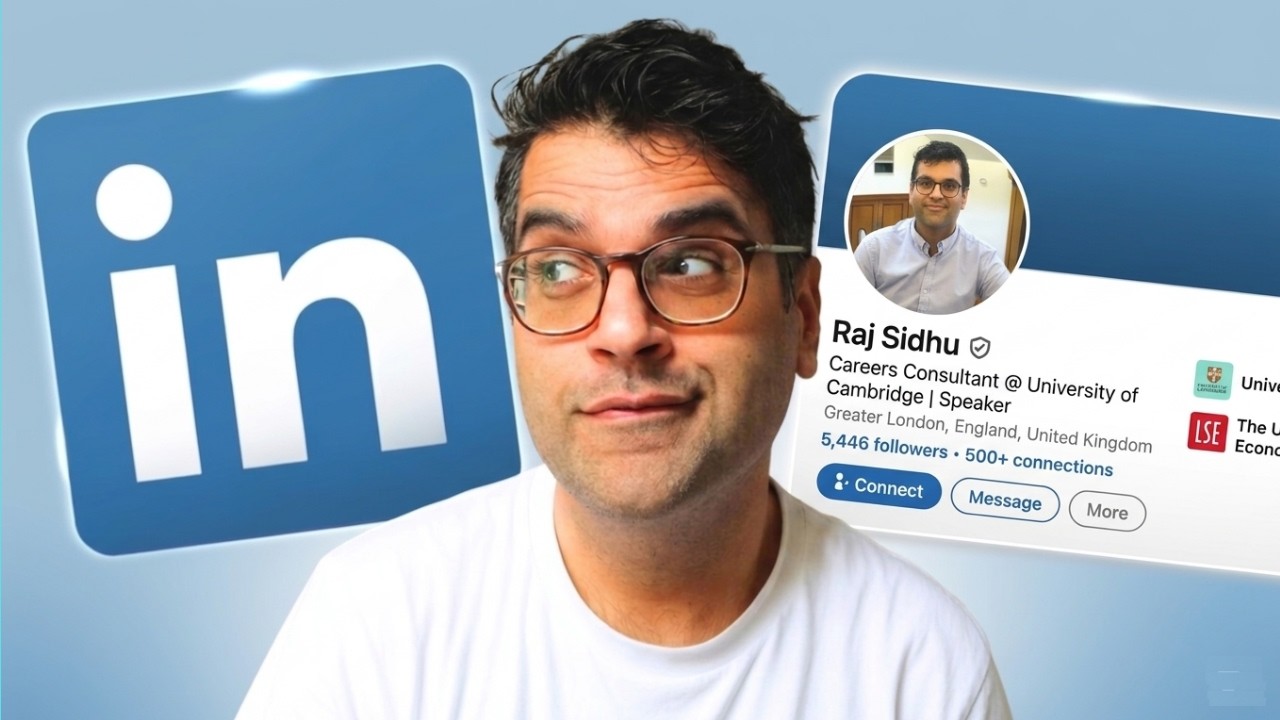
Recruiters spend an average of 7.4 seconds on an initial profile scan. In that window, the very first thing they process isn't your headline or your job history — it's your photo. The human brain evaluates faces in under 100 milliseconds, assigning trustworthiness, competence, and approachability before a single word is read. This isn't soft science; it's biology working against you if your photo is poor quality or unprofessional.
Profiles with professional headshots receive 21 times more profile views and 36 times more messages than those without. Yet despite this, a significant portion of professionals either use a casual photograph, an outdated image, or nothing at all. In a competitive job market, this is a self-inflicted handicap.
What Makes a LinkedIn Photo Work
- Your face fills at least 60–70% of the frame — LinkedIn crops to a circle, so don't leave too much background
- The background is clean and uncluttered — light grey, white, or softly blurred works well
- You're making eye contact with the camera, conveying confidence and approachability
- Lighting is natural or softbox — harsh shadows or dark conditions undermine credibility
- Your expression is a natural, relaxed smile — not a forced grin, not a boardroom deadpan
- The photo is recent and reflects how you actually look — discrepancies erode trust when meeting in person
- File size meets LinkedIn's specs: minimum 400×400 pixels, up to 8MB
The banner image — that wide horizontal space behind your profile picture — is something 67% of LinkedIn users leave blank or at default blue. This is one of the most underused pieces of prime digital real estate available to you. At 1,584×396 pixels, your banner is, as one strategist aptly put it, "1.4 million pixels of free advertising space." Use it to communicate your positioning, your niche, or a simple but powerful value statement. A free tool like Canva gives you professional-looking templates in under ten minutes.
Section 2: The Headline — 220 Characters That Work Overtime
If the profile photo is your visual handshake, the headline is your opening sentence. And unlike the brief social pleasantry a handshake implies, your headline has serious functional weight. Research from career platform CareerBldr shows the headline is indexed by LinkedIn's algorithm at five times the weight of most other profile fields. It follows you everywhere — appearing in search results, under your photo in comments, in recruiter filters, in "People You May Know" suggestions.
The default behaviour — simply listing your current job title — is a missed opportunity of the first order. "Marketing Manager at Acme Corp" tells a recruiter almost nothing about your skills, your focus, or your value. Worse, it limits your discoverability to people searching for that exact phrase in that exact context. You have 220 characters. Use them purposefully.
Headline Formula
[Who You Are] | [Core Skill / Specialisation] | [Value or Impact]
Senior Backend Engineer | Python · AWS · Microservices | Building scalable infrastructure for FinTech at speed
People & Culture Director | Organisational Design · DEI · Hybrid Workplaces | Helping high-growth companies build teams that last
Former Teacher ? UX Researcher | Human-Centred Design · Qualitative Research · Accessibility | Open to new opportunities
Avoid leaving characters unused. LinkedIn gives you 220, and the algorithm rewards completeness. Using at least 150 characters is a solid target. Keyword stuffing — jamming every skill you've ever touched into a comma-separated list — is both unappealing to human readers and increasingly flagged by LinkedIn's algorithm as a spam signal. Write for people first, search engines second.
The American Shortcut to Your Next Great Job
A great LinkedIn profile is only half the battle. The American Guide Super Job gives U.S. job seekers the complete roadmap — from standout applications to landing offers faster than the competition.
Get the American Guide Super Job →* Affiliate link — we may earn a commission at no extra cost to you. See our affiliate disclosure.
Section 3: The About Section — Your Career Narrative, Not a Job Description
The About section is where most people either shine or disappear. At 2,600 characters, it's your longest continuous piece of prime LinkedIn real estate. It's also the section where well-meaning but generic writing does the most damage — phrases like "results-driven professional" and "passionate team player" have been so overused that recruiters process them as visual noise.
What actually works is specificity and voice. The About section should read like a compelling professional narrative written by a real human being, not like the summary section of a CV. It should answer three questions clearly, and in this order: Who are you professionally? What specific value do you create? And why should the right reader care about connecting with you?
"The About section is your elevator pitch — written for someone who's just pressed the lobby button, not the penthouse. Keep it warm, specific, and outcomes-focused. Make the reader feel they've already met you."
A well-constructed About section opens with a strong first sentence that hooks the reader — because LinkedIn collapses the section by default, showing only the first two lines before requiring a click to expand. Those first two lines need to earn the click. They should be compelling, specific, and speak directly to the kind of person you want reading your profile.
A Framework That Converts Visitors Into Conversations
Section 4: The Experience Section — Achievements Over Responsibilities
The single most common mistake professionals make in the Experience section isn't dishonesty or exaggeration. It's far more mundane: writing job descriptions instead of achievement records. The difference matters enormously, both to human readers and to AI screening tools.
A job description tells a recruiter what your role was supposed to involve. An achievement record tells them what actually happened when you showed up. "Responsible for managing the marketing budget" is a job description. "Reallocated a £400k marketing budget to digital channels, reducing CPL by 28% while increasing MQL volume by 44% YoY" is an achievement — searchable, credible, and memorable in a way the first version simply isn't.
The Achievement Formula
[Action verb] + [What you did] + [How / By what method] + [Measurable outcome]
Responsible for developing backend services and maintaining APIs for the platform.
Built 12 REST API microservices in Spring Boot handling 3M+ daily requests. Reduced average response time from 450ms to 80ms through Redis caching implementation, improving platform reliability by 99.95%.
Start each bullet with a strong, varied action verb. "Led," "Built," "Reduced," "Grew," "Launched," "Designed," "Negotiated" — these verbs convey agency and impact. Passive constructions ("was responsible for," "was involved in") bury the lead and dilute the impression of ownership and results. And don't overlook this: LinkedIn allows you to attach supporting media directly to each Experience entry — images, PDFs, links, and videos that transform your text-only work history into a portfolio of evidence.
Section 5: Skills & Endorsements — The Algorithm's Favourite Signal
LinkedIn allows you to list up to 100 skills, but a critical nuance most guides gloss over is this: recruiter filters primarily operate on your top three pinned skills. Everything else contributes background signal, but your pinned trio is what surfaces in filtered searches. Choose those three with genuine strategic care. They should represent your most current and most sought-after capabilities — not the broadest or most senior-sounding ones, but the ones that directly match the roles you're targeting.
To identify the right skills, take ten or fifteen job descriptions for the roles you want. Copy all the text into a single document, then look for the skills and tools that appear most frequently. These are the terms recruiters — and AI screening tools — are searching for. If you genuinely have those skills, they belong on your profile, prominently and repeatedly.
How to Optimise Your Skills Section in 2026
- Audit first: Remove skills from five or more years ago that no longer represent your focus. An outdated skill list signals a stale profile.
- Research before selecting: Analyse 10–15 target job descriptions and prioritise skills appearing most often across them.
- Pin the right three: Your top-pinned skills should be the most searched-for in your target roles — these get the most algorithmic weight and human attention.
- Complete LinkedIn Skill Assessments: LinkedIn's validated skill badges boost hiring chances by up to 30% and consistently outperform self-reported skills alone.
- Add certifications with full details: Include the official name, issuing organisation, and expiry date. Certifications have become a major recruiter filter in technical and regulated industries.
Ready to Work? America's Best Jobs Are Waiting for You
Don't just be open to work — be ready to win it. The American Guide Super Job shows you exactly how to target, apply for, and land the best opportunities in today's U.S. job market.
Unlock Your Super Job Now →* Affiliate link — we may earn a commission at no extra cost to you. See our affiliate disclosure.
Section 6: Engagement Strategy — Why Posting Changed Everything
Here's something that surprises many professionals when they first encounter it: LinkedIn's 2025–2026 algorithm update made activity affect profile visibility even in passive search. This means that someone who hasn't logged on or posted anything in months will rank lower in recruiter searches than an equally qualified person who has been consistently active on the platform. Your level of engagement has become a ranking signal.
This doesn't mean you need to become a LinkedIn content creator or publish thought-pieces every morning. But it does mean that strategic, regular engagement is no longer optional for serious job seekers. One post per week — even a three-sentence observation about something you've noticed in your industry — is enough to maintain algorithmic favourability.
Content Types That Work in 2026
- Lessons learned posts: Short narratives about something you discovered, a project challenge you navigated, or a perspective shift. Personal and specific wins over generic.
- Industry observations: Thoughtful commentary on a trend, a news item, or a change in your field. Position yourself as someone who reads the market closely.
- Carousel documents: Multi-slide PDFs that break down a process or framework. LinkedIn data shows document posts generate 2.5x more engagement than standard posts.
- Skills spotlights: Short posts demonstrating a specific skill — a walkthrough, an example output, a before-and-after. These function as mini portfolio entries.
- Authentic professional moments: A recent achievement, a milestone, a course completed, or a new project started. Brief, genuine, not performative.
Section 7: Recommendations — Social Proof That Converts
There is a fundamental psychological principle at work in LinkedIn recommendations: third-party validation is inherently more credible than self-assessment. When you describe yourself in your About section, readers apply a discount — they know you're presenting your best self. When someone else describes you in a recommendation, that social proof carries weight that no amount of personal polish can replicate.
Three to five strong recommendations from credible sources is a meaningful threshold. More isn't necessarily better — quality and specificity matter far more than volume. The best recommendations are detailed, recent, and speak to specific situations, skills, or contributions. Vague praise ("a pleasure to work with") offers far less value than concrete, situation-specific evidence.
Getting Recommendations That Actually Land
- Be specific in your request: When asking, remind the person of a specific project or outcome you worked on together. Specificity in the ask produces specificity in the response.
- Offer to return the favour: Reciprocal recommendation exchanges are common and appropriate — writing one for someone else first often prompts a timely response.
- Prioritise recency and seniority: A recommendation from a director or senior manager in the past two years outweighs five from peers from five years ago.
- Don't wait until you're job-hunting: Build your recommendation base during employment. Asking when actively searching can feel pressured and awkward for everyone.
Section 8: AI Tools & LinkedIn's New Algorithm Logic
The intersection of artificial intelligence and job hunting is the most significant shift in recruitment in a generation — and it cuts both ways. On the recruiter side, AI tools are scanning profiles, ranking candidates by fit, and automating initial outreach at a scale no human team could match. On the candidate side, AI tools are available to help job seekers optimise their profiles, identify keyword gaps, and strengthen their written content.
How AI Recruitment Tools Actually Read Your Profile
Modern AI recruitment tools — used by the vast majority of enterprise and mid-market employers — don't read your profile the way a human does. They're looking for:
- Keyword density and relevance against job description terms
- Skill matches against the target role's most common requirements
- Career progression patterns: titles, role durations, seniority trajectory
- Engagement signals: recency of activity, completeness of profile
- Social proof indicators: endorsements, recommendations, external media attachments
This means the profile that impresses a human and the profile that ranks well algorithmically need to be one and the same. The mistake many candidates make is optimising exclusively for one or the other. The tactics that serve human readers — specificity, concrete achievements, relevant skills, consistent voice — are also the tactics that perform best in algorithmic ranking.
- Keywords from target job descriptions woven naturally into achievements
- A complete profile with all major sections filled in
- Specific, quantified results in every Experience entry
- Recent activity: posts, comments, or profile updates
- 5+ endorsed skills aligned to your target roles
- Three or more specific, dated recommendations
- A headline that's just a job title with no keywords
- An About section full of generic phrases and no metrics
- Experience entries listing duties instead of achievements
- No activity for months — algorithm treats this as stale
- Keyword-stuffed bullet lists at the bottom of experience
- Missing sections: no photo, no skills, no recommendations
AI Tools Worth Knowing as a Job Seeker
- Keyword gap analysis (Jobscan): Compares your profile against specific job descriptions and identifies which terms you're missing. Audit against five to ten target roles to reveal consistent gaps you'd never notice manually.
- Headline and About section generators: AI writing assistants can suggest stronger framings for your professional narrative. Use them to draft, then rewrite in your own voice — the goal is a starting point, not a finished product.
- Profile scoring platforms: Multiple platforms now offer LinkedIn profile audits that score your completeness, keyword density, and visibility factors. Genuinely useful as diagnostic tools.
- Content idea generators: If you're building an engagement habit, AI tools can help you brainstorm post angles based on your expertise and target audience.
Advanced Tactics Most Candidates Overlook
Beyond the core sections, a handful of features and strategies routinely separate high-performing LinkedIn profiles from adequate ones. These are the details that rarely make it into standard advice but make a visible difference in practice.
Your Custom URL
LinkedIn assigns a default profile URL that looks like a random string of characters. Customising it to something like linkedin.com/in/firstname-lastname takes two minutes. The clean URL ranks higher in Google search results for your name and looks more professional on email signatures, CVs, and business cards.
The Featured Section
The Featured section, sitting prominently below your About, is a curated portfolio space. Use it to showcase your best work: a published article, a project case study, a speaking engagement, a media mention, or a portfolio link. Profiles with a populated Featured section consistently report higher engagement from recruiters.
LinkedIn Newsletter
For professionals in knowledge-intensive fields — strategy, technology, finance, marketing, HR — launching a LinkedIn Newsletter is one of the highest-leverage visibility tools available. Unlike regular posts, newsletters generate subscriber notifications and build an ongoing subscriber relationship over time. Content from individual professionals gets 2x more engagement than corporate content on LinkedIn.
Networking With Intention
The quality and relevance of your network matters far more than its size. The proximity of your connections to your target employers directly affects your visibility in recruiter searches — LinkedIn's algorithm incorporates network proximity as a ranking signal. Identify ten to fifteen target companies, follow their pages, connect with people in adjacent roles, and engage thoughtfully with content from employees at those companies. This positions you within the relevant network cluster before you've even applied.
Your LinkedIn Profile Is a Living Document — Update It Regularly
The most effective LinkedIn profiles are updated quarterly at minimum, and immediately when you gain a new skill, certification, or significant achievement. Updated, active profiles rank higher in every search category. Don't set it and forget it.
Take Our Free Career Assessment →Disclosure: Some links in this article are affiliate links. Talent Loop may earn a commission if you register through them, at no cost to you.
Frequently Asked Questions
Ready to Take Your Career to the Next Level?
At Talent Loop, we connect exceptional candidates with outstanding opportunities. Our comprehensive career assessment matches your skills and goals with positions where you'll truly thrive.
Take Our Free Career Assessment →